Contents | Index | Previous | Next
Jump to Date
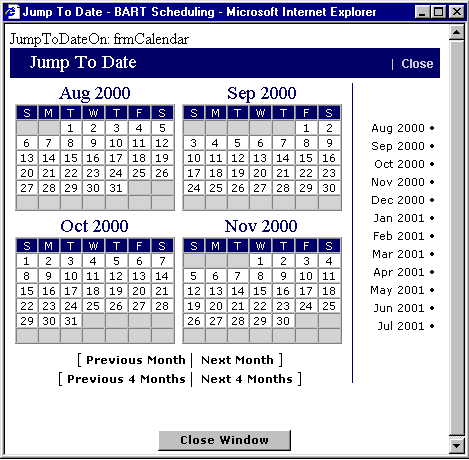
This feature is designed for your navigational convenience. It is available
from all Calendar Modes and Browse Modes. Accessed from a Calendar Mode, the
selected date will appear in the top week on the calendar. Accessed from a Browse
Mode, all activity for that day will be displayed in a Browse screen. From this
screen you can click on any date in a four-month period and go directly to the
applicable display mode for that date. To the right of the four-month display,
a selection of twelve months is available to click on as well. In addition, the
links under the graphic enable you to move forward or back one or four months
at a time. Any trip number filtering will be removed.
 Return to calendar
Return to Crew Calendar
Return to Executive Calendar
Return to Browse Mode, Detailed
Return to Executive Browse Mode
Return to Browse Mode, Trip Number
Return to calendar
Return to Crew Calendar
Return to Executive Calendar
Return to Browse Mode, Detailed
Return to Executive Browse Mode
Return to Browse Mode, Trip Number