Contents | Index | Previous
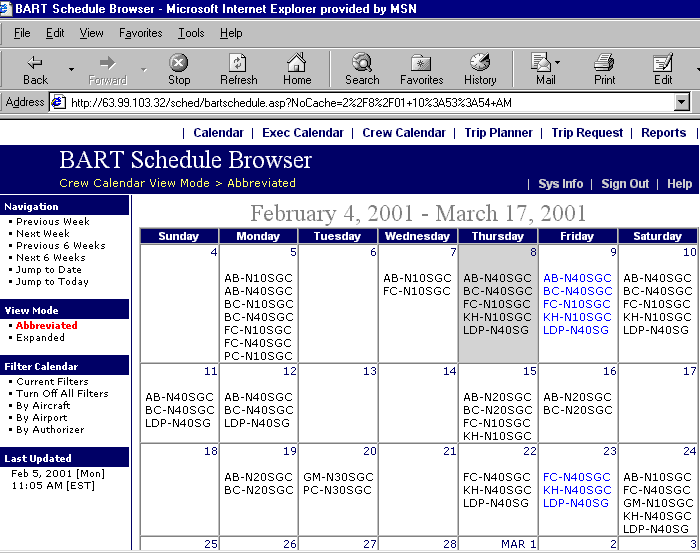
Crew Calendar Screen
NEW FEATURE! BART-4-Web now allows you to view crew activity just as you would that of
your aircraft. The calendar blocks in this mode display the crew ID’s and their assigned aircraft (tail numbers) or scheduled activity
(abbreviations or full names) on any given day. Just as in the other calendar modes,
clicking on a tail number or a calendar date will bring up a Browse Mode screen for
that day. Clicking on the tail number will apply an aircraft filter to the
browse mode, whereas clicking the calendar date number will display a browse window
including all scheduled activity for that day. Click on Expanded under View
Mode to display the full name of the scheduled activity (Vacation, Jury Duty,
etc.) instead of the abbreviated version.