Contents | Index
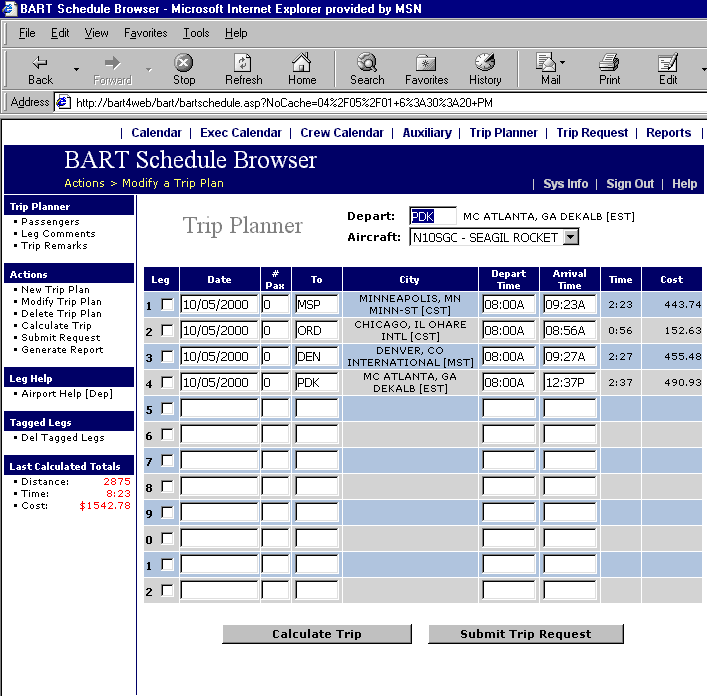
Trip Planner Screen
Below is an example of a filled-out Trip Planner screen. The airport
identifier shown in the Depart field is the home base for the selected aircraft. This
may be changed if desired. The aircraft may be selected from the drop-down
window. Advance through the form with the TAB key only. Enter dates in the Date field
in mm/dd/yyyy format. A help-select function is available from the menu. Through that function, the user is able to click
on a calendar date to select it for display on this screen. Enter the number of
passengers and the code for the arrival airport. A help-select function is available for this as well if the user is not familiar with standard ICAO
codes. Through that function, the user is able to enter a desired city name and
select the arrival airport with a mouse-click. The user may then enter either
the departure or the arrival time for the leg. If the arrival time is entered,
the system will calculate the required departure time when the trip is
calculated. Advance to the next leg with the TAB key or click on the next Date field.
For a simpler method that requires no special codes or formats, see Trip Request.