This function allows the supervisory user to delete a user from the system.
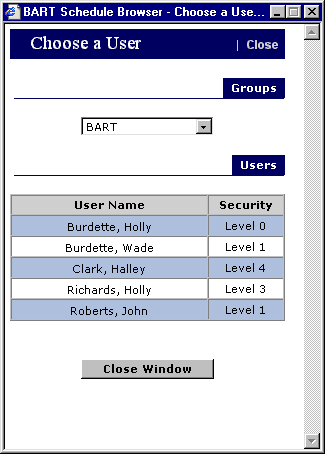
Select the desired user from the screen below:
Click on the user you wish to delete. The system will then display a dialogue
box asking you to confirm the deletion. Click on Yes to delete the user. USE WITH CAUTION.
Return to Setup Screen
 Click on the user you wish to delete. The system will then display a dialogue
box asking you to confirm the deletion. Click on Yes to delete the user. USE WITH CAUTION.
Return to Setup Screen
Click on the user you wish to delete. The system will then display a dialogue
box asking you to confirm the deletion. Click on Yes to delete the user. USE WITH CAUTION.
Return to Setup Screen