Contents | Index
Crew Members
This function may only be accessed from the Auxiliary menu. It mirrors the
functions of the Crewmember Database in most BART-4-Windows modules. The purpose
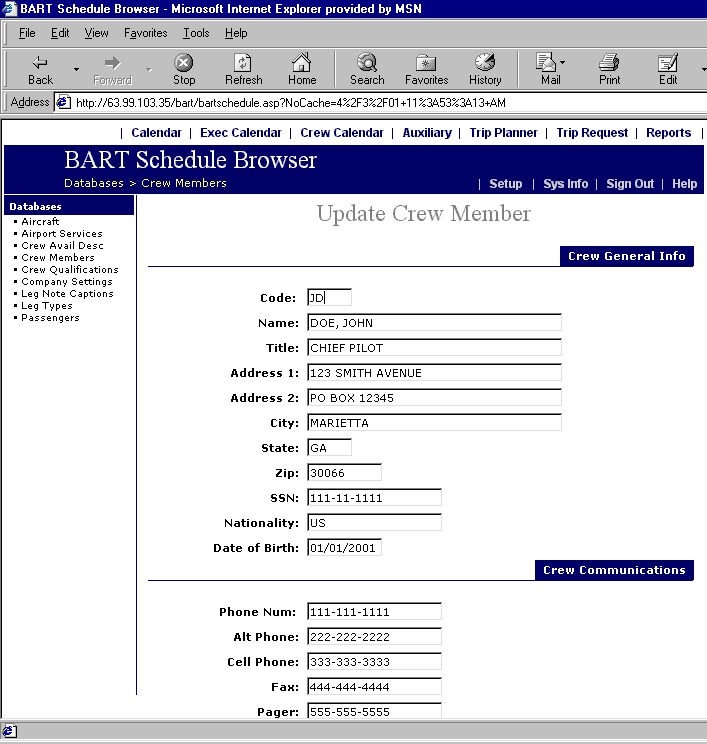
of this database is to store basic contact information for your crewmembers as
well as passport information. When this is clicked, the screen below will prompt
the user to enter a crewmember’s name:
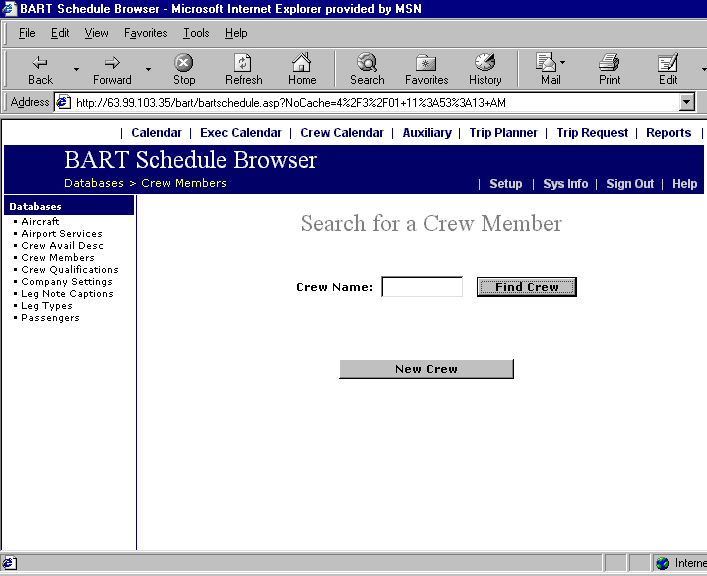 Enter all or part of a crewmember’s last name and click Find Crew. For example, enter “c” to display all crewmembers whose last names begin with “c” as shown below:
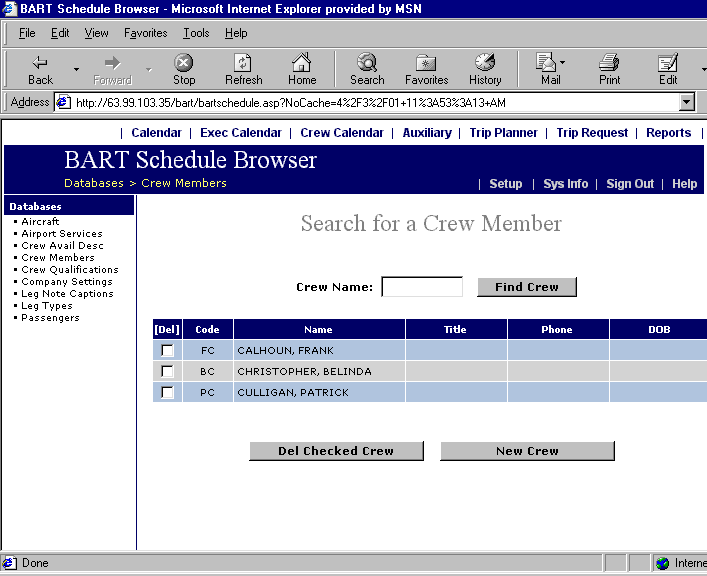 Note that this screen enables the addition and deletion of crewmembers as well.
Click on the desired crewmember’s ID code to access their data screen as displayed below:
Note that this screen enables the addition and deletion of crewmembers as well.
Click on the desired crewmember’s ID code to access their data screen as displayed below: