Contents | Index
Airport Services
This function may only be accessed from the Auxiliary menu. It mirrors the
functions of the Airport Directory in most BART-4-Windows modules. The purpose of
this database is to provide easy access to FBO, ground transportation, hotel,
catering, and other services available at and around a selected airport. When
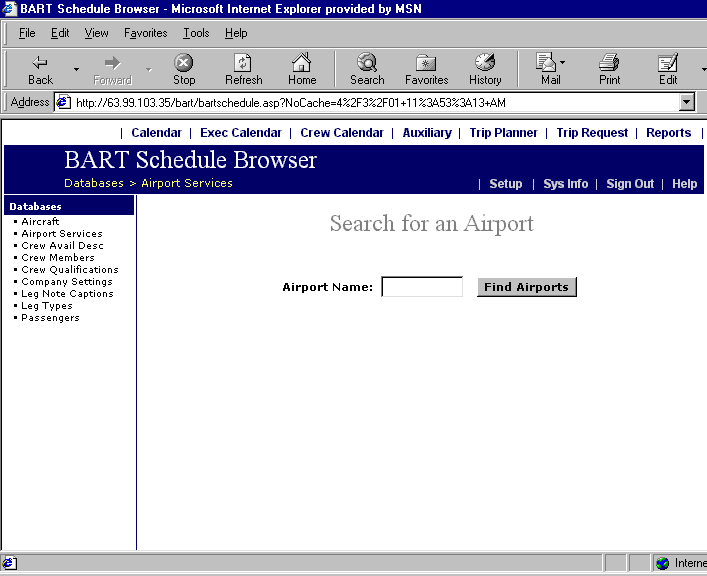
this menu item is clicked, the screen below will prompt the user to enter an
airport name, i.e., the city name corresponding to the desired airport.
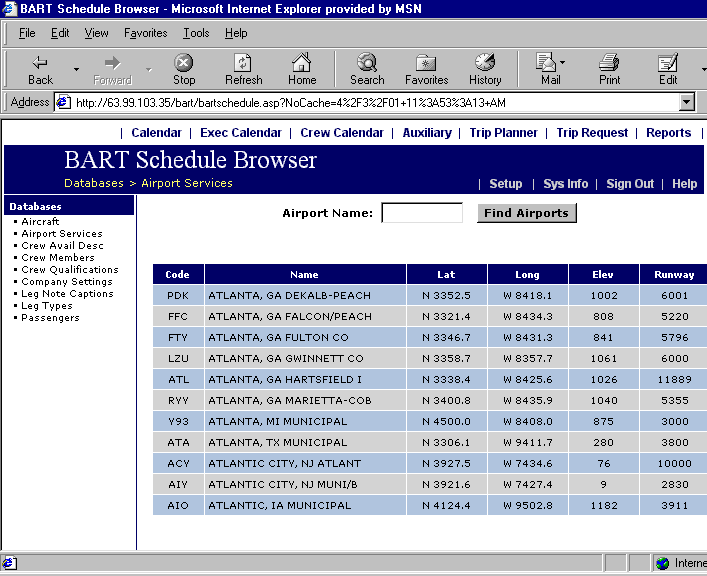
 Enter all or part of a city name and click Search. For example, if Atl is
entered, all cities beginning with Atl will be displayed as shown below:
Enter all or part of a city name and click Search. For example, if Atl is
entered, all cities beginning with Atl will be displayed as shown below:
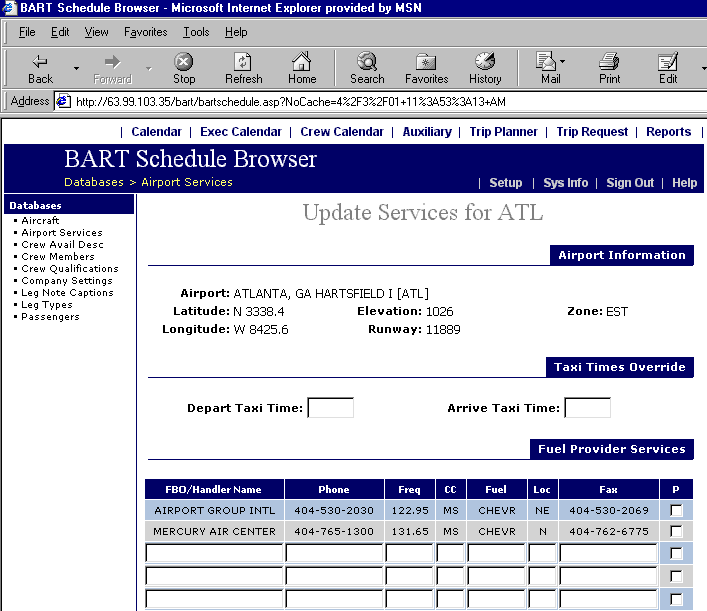
 Click on the ID code in the far-left column to display the Airport Services
screen for the selected airport as shown below:
Click on the ID code in the far-left column to display the Airport Services
screen for the selected airport as shown below:
 Entering New Services
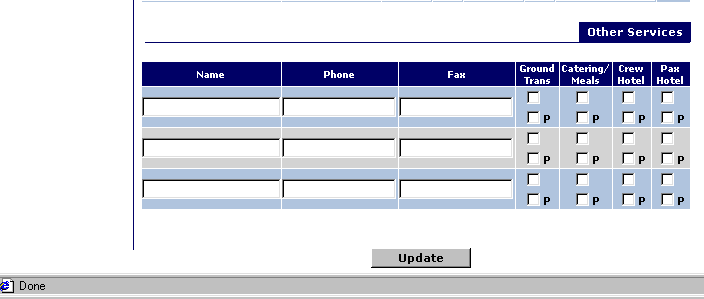
- Click the Name field for the desired service to activate the flashing cursor,
then type the name of the service.
- Use the TAB key to move through the fields.
- Check the boxes marked “P” to mark the provider as Preferred.
- In the Other Services section, make sure to check the correct box to select
between Ground Transportation, Catering, or a Crew or Pax Hotel.